Browser Instructions
Mozilla Firefox
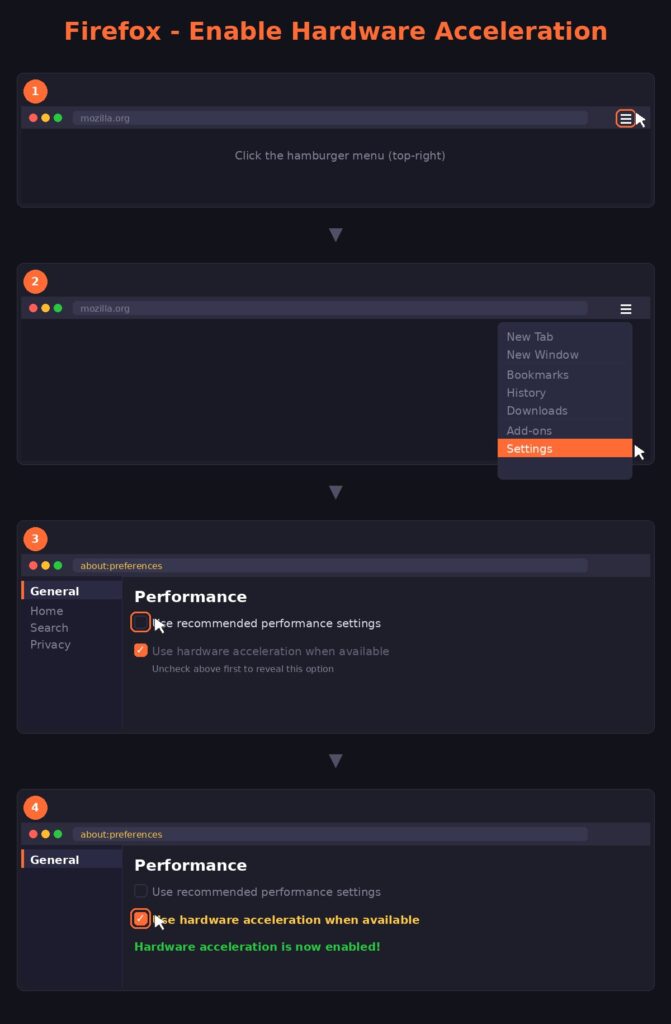
Step 1: Open the menu (three lines) and select Settings.
Step 2: In the General panel, scroll down to the Performance section.
Step 3: Uncheck “Use recommended performance settings” to reveal the acceleration option.
Step 4: Check the box for “Use hardware acceleration when available”.
Apple Safari (macOS)
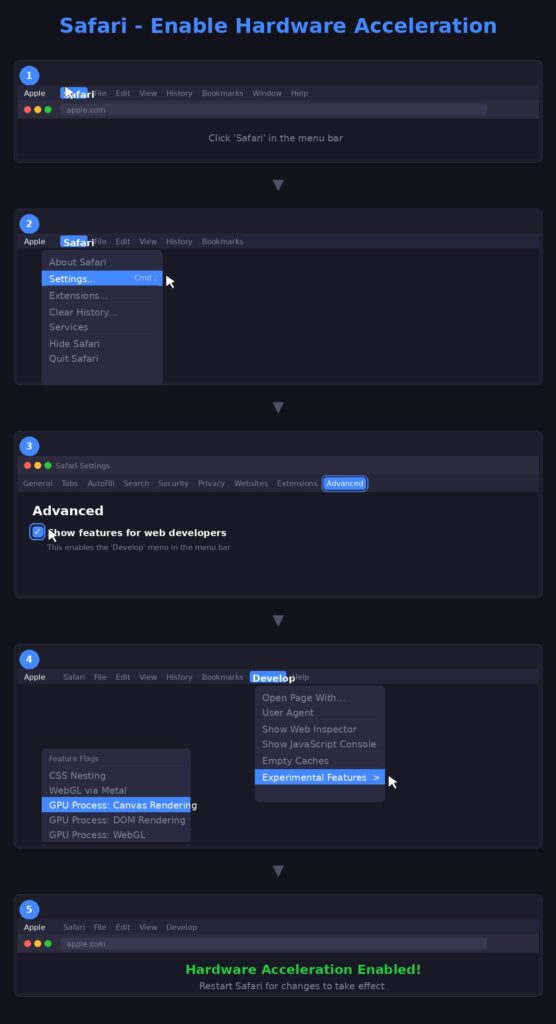
Note: Safari manages acceleration automatically, but users can toggle specific “GPU” features via the Developer menu.
Step 1: Go to Safari > Settings > Advanced.
Step 2: Check the box “Show features for web developers” at the bottom.
Step 3: In the new Develop menu, find Experimental Features (or Feature Flags).
Step 4: Ensure GPU Process: Canvas Rendering (or similar) is enabled.